Why Your Garland Shop’s Map Pin Disappears When You Zoom Out: A Deep Dive into Google Maps SEO
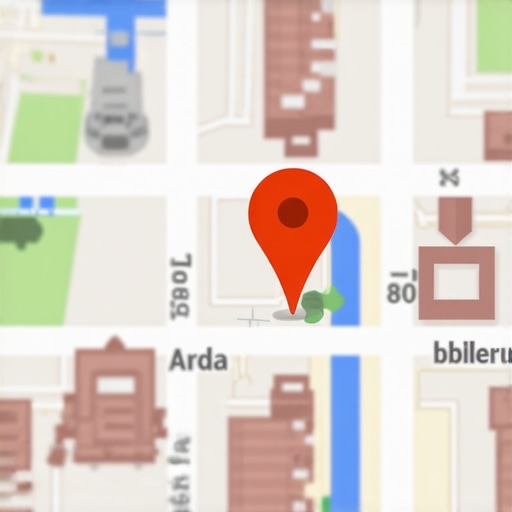
Imagine this: You are a proud business owner in Garland, Texas. You’ve spent years building your reputation near the historic downtown area or perhaps closer to the bustling Firewheel Town Center. You open Google Maps, type in your business name, and there it is – a bright red pin marking your territory. You feel a sense of digital security.
But then, you start to zoom out. As the view expands to include more of the Dallas-Garland border, your pin suddenly vanishes. It’s not just that it gets smaller; it completely disappears from the interface, while your competitor three blocks away remains visible even at a city-wide zoom level. This is what we call the “Ghost Pin” phenomenon, and for many local entrepreneurs, it is the ultimate source of frustration in their google business profile seo journey.
In this guide, we will pull back the curtain on Google’s “Place Label” algorithm. We will explain why your pin is being suppressed and, more importantly, how you can maximize your Garland storefront visibility to ensure you stay on the map when it matters most.
Section 1: The “Ghost Pin” Phenomenon in Garland
When you look at Google Maps, you aren’t seeing a static directory; you are seeing a curated, real-time visualization of data. The icons you see – the little briefcases, shopping bags, and forks-and-knives – are technically called “Place Labels.” These labels are not guaranteed to every business. In fact, most businesses in zip codes like 75040 or 75042 are “ghosting” potential leads because their pins only appear during a high-intent direct search or at extreme zoom levels.
Google Maps has a significant problem: visual clutter. If Google showed every single registered business in Garland simultaneously, the screen would be a solid block of overlapping icons. To solve this, Google uses a sophisticated filtering system. This filter decides which businesses are “important” enough to be shown at a high altitude and which ones should be hidden until the user specifically looks for them. If you find yourself asking why your shop is missing, you are likely a victim of this density filter. You can learn more about this in our article on 5 Reasons Your Garland Shop Map Pin Is Ghosting Potential Local Leads.
Section 2: Understanding the “Place Label” Algorithm
The most important thing to understand about your map pin is that it is not a right; it is an algorithmic reward. Many business owners believe that once they verify their Google Business Profile (GBP), they should automatically appear on the map. This is a misconception.
As industry expert Joy Hawkins famously noted, “The place labels shown on Google Maps are determined algorithmically based on a large number of factors.” This means Google’s AI is constantly weighing your business against every other entity in the 75044 area to decide who earns the visual real estate.
Search Pins vs. Place Labels
There is a technical distinction you must understand. A “Search Result Pin” is the red pin that appears when someone specifically searches for “plumbers in Garland.” A “Place Label” is the icon (often gray or color-coded by category) that appears on the map base layer without any search query being performed. Winning at google business profile optimization is about moving from being just a search result to becoming a permanent Place Label that stays visible as users browse the Garland area.
If your pin is only visible when you are zoomed in so close you can see individual parking spots, your “Prominence” score is too low. To combat this, businesses often turn to a google maps ranking service to help signal to Google that their location is a landmark worth displaying at all zoom levels.
Section 3: The P-R-P Model: Why Google Filters You
To rank google business profile assets effectively, you must master the three pillars of local search: Proximity, Relevance, and Prominence (P-R-P).
1. Proximity: The Garland Geography Factor
Proximity is the most rigid factor. Google looks at the user’s location (or the center of the map view) and prioritizes businesses closest to that point. However, in a densely populated city like Garland, proximity often triggers the “Density Filter.” If there are ten coffee shops in a one-mile radius near Walnut St, Google will only show the top two or three as Place Labels to avoid clutter. This is why your Garland shop is getting buried by the Google Maps proximity filter.
2. Relevance: Are You What They Need?
Relevance is how well your profile matches the intent of the user. If your profile is poorly optimized or uses generic categories, Google won’t “trust” that you are the best representative of that category for the area. Research shows that GBP signals – including your primary and secondary categories – account for roughly 27-32% of total ranking influence. If you haven’t performed a deep dive into Garland zip code targeting strategies, your relevance might be too diluted for the algorithm to prioritize your pin.
3. Prominence: The “Fame” Factor
This is where most Garland businesses fail. Prominence is how well-known your business is in the offline and online world. Google pulls data from all over the web – articles, directories, social media, and local news – to determine if you are a “pillar” of the Garland community. If your competitor has more local citations and mentions in Garland-specific publications, their pin will stay visible while yours disappears. Using high-end local seo ranking tools can help you track exactly where you stand in terms of prominence compared to your neighbors.
Section 4: The “Co-Location” and Category Trap
Are you located in a strip mall or a shared office building near Centerville Road? If so, you might be falling into the Co-Location Trap. When multiple businesses share the same address or are located in extreme proximity, Google’s algorithm often “de-duplicates” the map view.
If two businesses are in the same category (e.g., two insurance agencies in the same building), Google will almost always hide one of them at higher zoom levels. The algorithm chooses the “winner” based on which profile has more reviews, better engagement, and more complete data. This is one of the 3 Subtle Category Mistakes Killing Your Google Business Garland Leads. To escape this, you must differentiate your primary category or significantly out-perform your neighbor’s prominence metrics.
Furthermore, Google’s zoom limits are strict. There is a hard limit on the number of icons that can be displayed per square inch of screen real estate. As you zoom out, that “square inch” covers more of Garland, meaning more businesses are competing for the same few label slots. If you aren’t in the top 5% of prominent businesses in your category, your pin is the first to be culled.
Section 5: Technical Glitches vs. Algorithmic Suppression
Sometimes, a disappearing pin isn’t about competition; it’s about technical health. In 2026, Google introduced more stringent “Verified Profile” tests. If your NAP (Name, Address, Phone) data is inconsistent across the web, Google may lose confidence in your location’s accuracy and suppress your Place Label as a “safety” measure.
Common technical issues include:
- Verification Limbo: Even if you are “verified,” your profile might be under a shadow-review if you recently changed your address in 75041.
- Incorrect Map Pin Placement: Sometimes the manual “marker” inside your GBP dashboard is slightly off the road, causing Google to struggle with rendering it at scale.
- Suppression via “Ghosting”: If Google detects “review spam” or suspicious activity, they won’t necessarily suspend you, but they will stop showing your Place Label to the general public.
For businesses struggling with these nuances, seeking a professional google maps ranking service can be the difference between being invisible and dominating the local map pack. You can also consult our guide on fixing Google Maps verification issues in Garland for a step-by-step troubleshooting checklist.
Section 6: How to “Force” Your Pin to Stay Visible
If you want to improve google maps ranking and keep that pin visible as users zoom out toward I-30 or the President George Bush Turnpike, you need to actively build “Prominence.” Here is your actionable checklist:
1. Increase Review Velocity and Quality
It’s not just about the total number of reviews; it’s about how often you get them. A steady stream of 5-star reviews from users physically located in Garland sends a powerful signal to Google. Encourage customers to mention “Garland” or specific neighborhood names in their reviews. For more on this, see our Garland local business review management guide.
2. Build Local Garland Backlinks
Google looks for local relevance. A link from the Garland Chamber of Commerce or a local news site like the Garland Texan is worth more than ten links from generic national blogs. These links act as “votes” for your location’s prominence. Check out our strategies on how to build local backlinks that actually move your Garland map pin.
3. High-Quality Geo-Tagged Images
Upload photos of your storefront, your team at work, and your service vehicles. When you upload images that contain GPS metadata (geo-tags) from within Garland, you are providing hard evidence to the algorithm that your business is active and relevant at that specific coordinate. This is a core part of google business profile optimization.
4. Utilize Professional Tools
You cannot fix what you cannot measure. Using a google maps ranking service or google maps ranking service allows you to see a “grid” of your rankings across different zip codes. This helps you identify exactly where your pin starts to disappear so you can target those specific areas with local SEO tactics.
Section 7: Looking Ahead: The 2026 AI Map Pack
As we move deeper into 2026, the way Google Maps displays pins is shifting toward “Conversational Relevance.” With the integration of AI-driven search, Google is becoming better at predicting which business a user wants to see based on their past behavior and current context.
If a user frequently visits boutiques in Downtown Garland, Google is more likely to show your boutique’s pin at a higher zoom level for that specific user. This “personalized prominence” is the next frontier of local seo services. To stay ahead, you need to ensure your profile is optimized for long-tail, conversational keywords. Read more in our analysis of 3 Garland Local SEO Tactics to Win the 2026 AI Map Pack.
Conclusion: Claim Your Space on the Garland Map
A disappearing pin is more than just a minor annoyance; it is a symptom of low prominence or high competition density. In a competitive market like Garland, you cannot afford to be a “ghost” on the map. Whether you are a plumber in 75040 or a retailer in 75044, your goal is to prove to Google that your business is a landmark that deserves to be seen.
By focusing on the PRP model, cleaning up technical NAP issues, and consistently building local prominence through reviews and backlinks, you can “force” your pin to remain visible even as users zoom out to see the entire DFW metroplex. If you’re ready to stop disappearing and start dominating, it’s time to invest in a comprehensive competitive analysis for Garland map pack rankings or leverage professional google maps seo tools to track your progress.
Don’t let your competitors own the map. Take control of your google maps seo today and ensure that every time a potential customer looks at Garland, they see your business standing tall.